What is this?
AnySpool lets you program blank NFC stickers so your Elegoo Centauri Carbon 2 (or any CC2 / CC2 Combo printer) recognises third-party filament. Pick a filament from the catalog, generate the tag data, and write it to a cheap NTAG213 sticker — done in under a minute.
Why does this exist?
Elegoo ships filament spools with built-in RFID tags that tell the printer what material is loaded — temperature, colour, weight, and more. If you use a spool without a tag, the printer can't auto-detect it and you lose features like automatic temperature presets and remaining-weight tracking.
Elegoo's RFID system is open — they publish the full tag specification and blank NTAG213 stickers cost around 5 cents each. AnySpool turns that spec into a one-tap workflow: select, generate, write.
What you need
- 1Blank NTAG213 stickers— available on Amazon or AliExpress for a few cents each. Make sure it says "NTAG213" (not 215 or 216).
- 2A phone with NFC — Android or iPhone. Most phones made after 2018 have it.
- 3NFC Tools app (iOS only) — free from the App Store. Android users can write directly from the browser or use the Play Store version.
Step-by-step
- 1Pick a filament
Use the filter bar or search to find your material and colour. The catalog currently covers Elegoo's own filament range.
- 2Tap "Write NFC Tag"
AnySpool generates the full NTAG213 payload in your browser — the exact same data format that Elegoo puts on their own spool tags. Nothing leaves your device.
- 3Write the tag
Android: Chrome can write directly — just hold your sticker to the back of the phone. Or copy the hex commands into NFC Tools.
iPhone:Copy the hex commands, open NFC Tools → Other → Advanced RFID Commands, paste, and tap Write. Hold the sticker near the top of your phone (by the camera).
- 4Stick it on your spool
Attach the sticker to the side of your spool. The RFID reader for the Centauri Carbon 2 is inside the filament bay. The printer will detect it automatically on the next load.
iOS: detailed walkthrough
iOS restricts direct NFC hardware access, so the write goes via the free NFC Tools app by Wakdev. The whole thing takes about 10 seconds once it's installed.
- 1Find your filament and tap "Write NFC Tag"
Select your filament from the catalog. The detail panel slides up at the bottom — tap the green WRITE NFC TAG button.
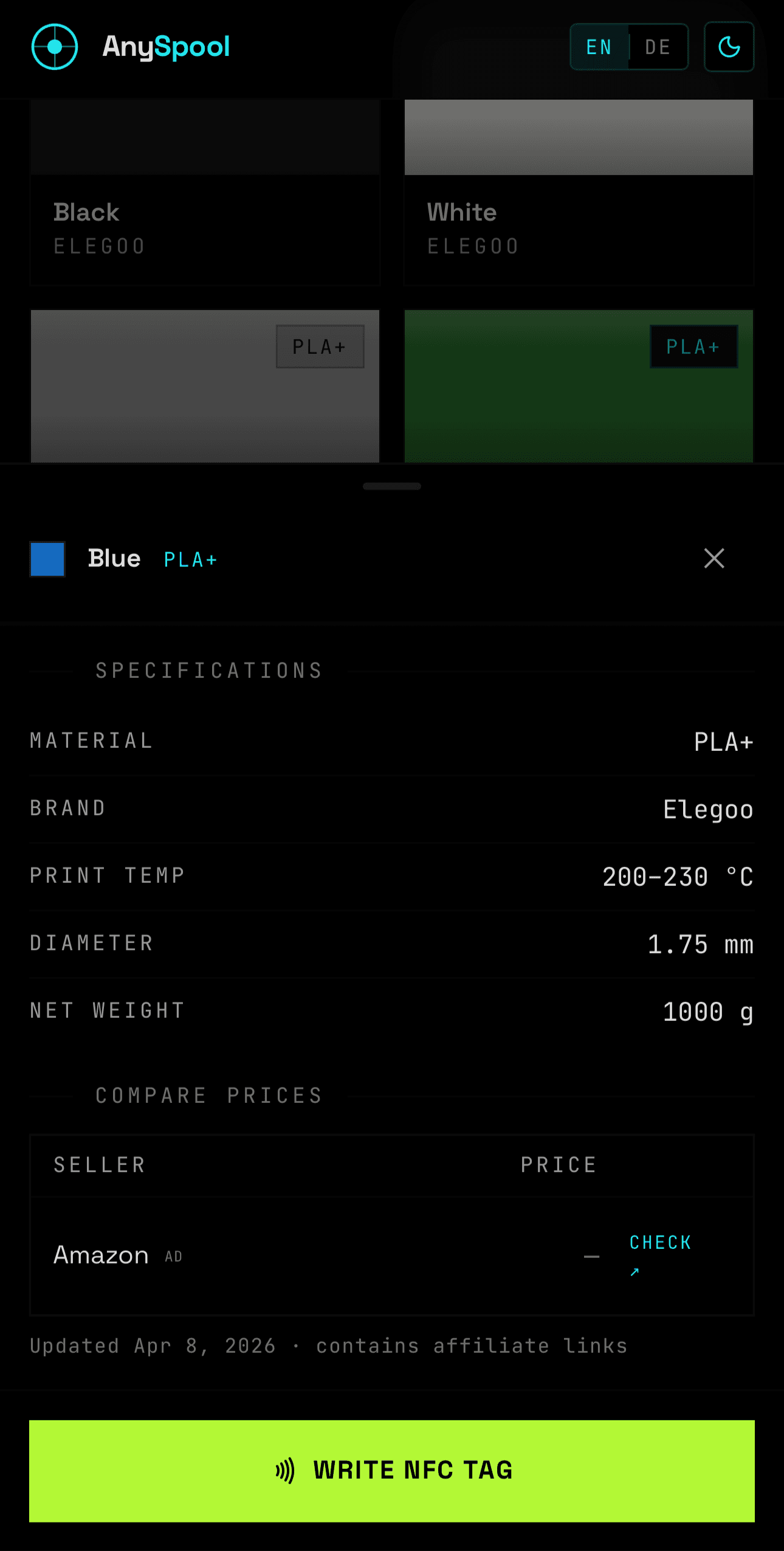
Tap the green button at the bottom of the detail panel - 2Tap "Copy Hex Commands"
The iOS write dialog opens and shows you the 3-step workaround. Tap the green COPY HEX COMMANDSbutton. The button turns to "Commands copied to clipboard!" — that's your confirmation.
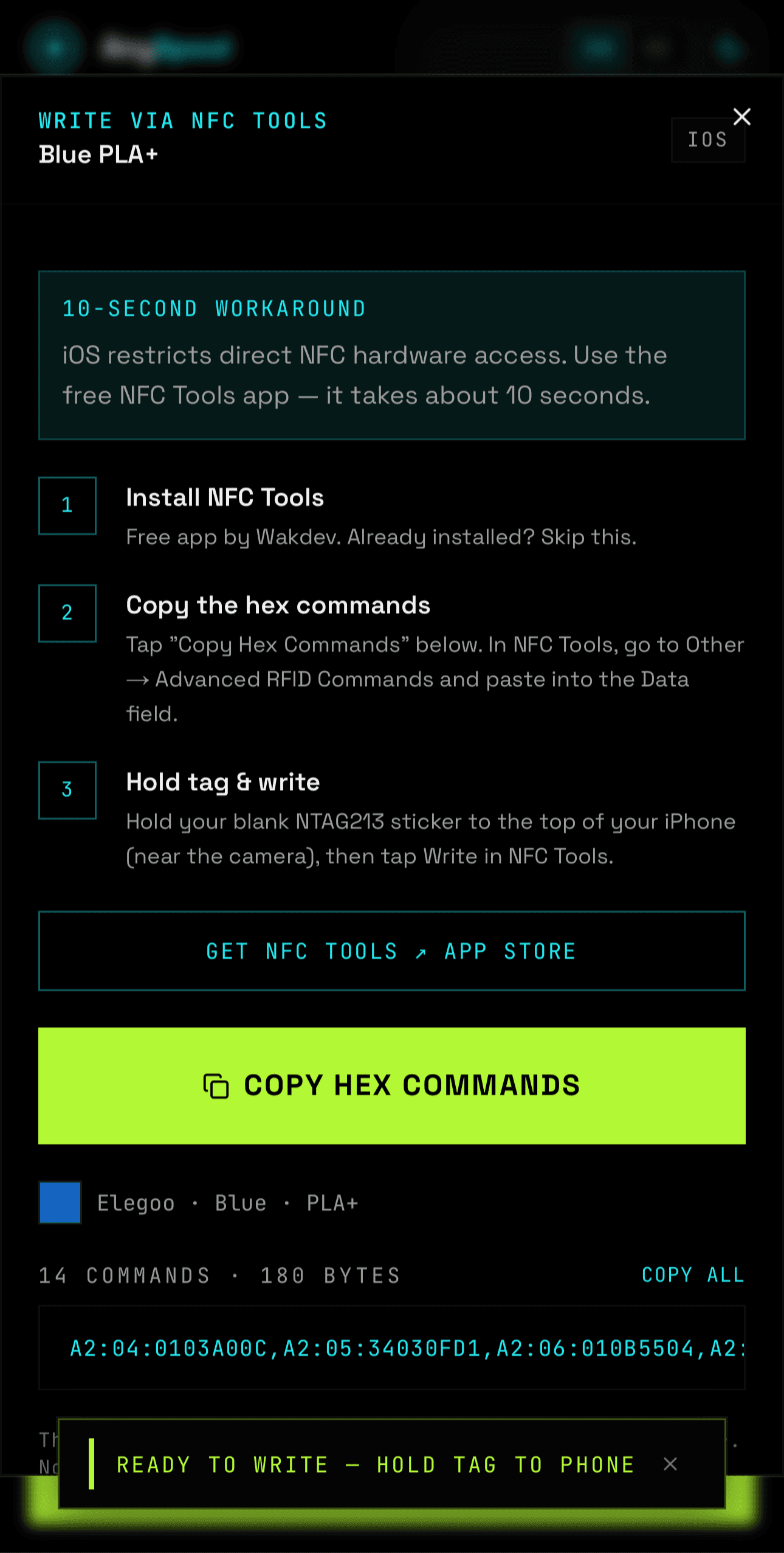
Before tapping 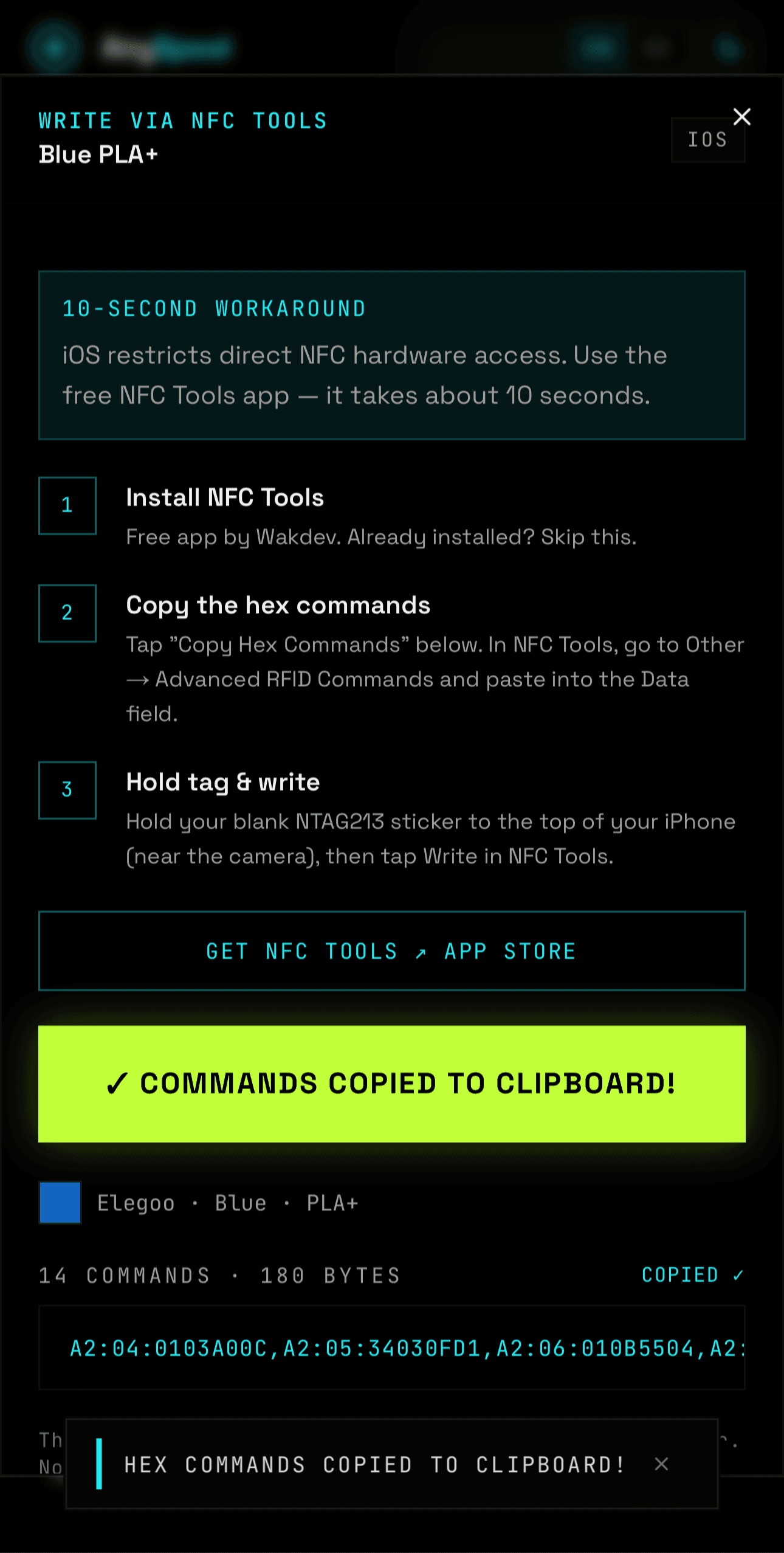
After tapping — commands are in your clipboard - 3Open NFC Tools and tap "Other"
Switch to NFC Tools. On the home screen tap Other.
Don't tap "Write"— that path asks for a content type (text/plain, URL, etc.) and is for standard NDEF records. It won't work here.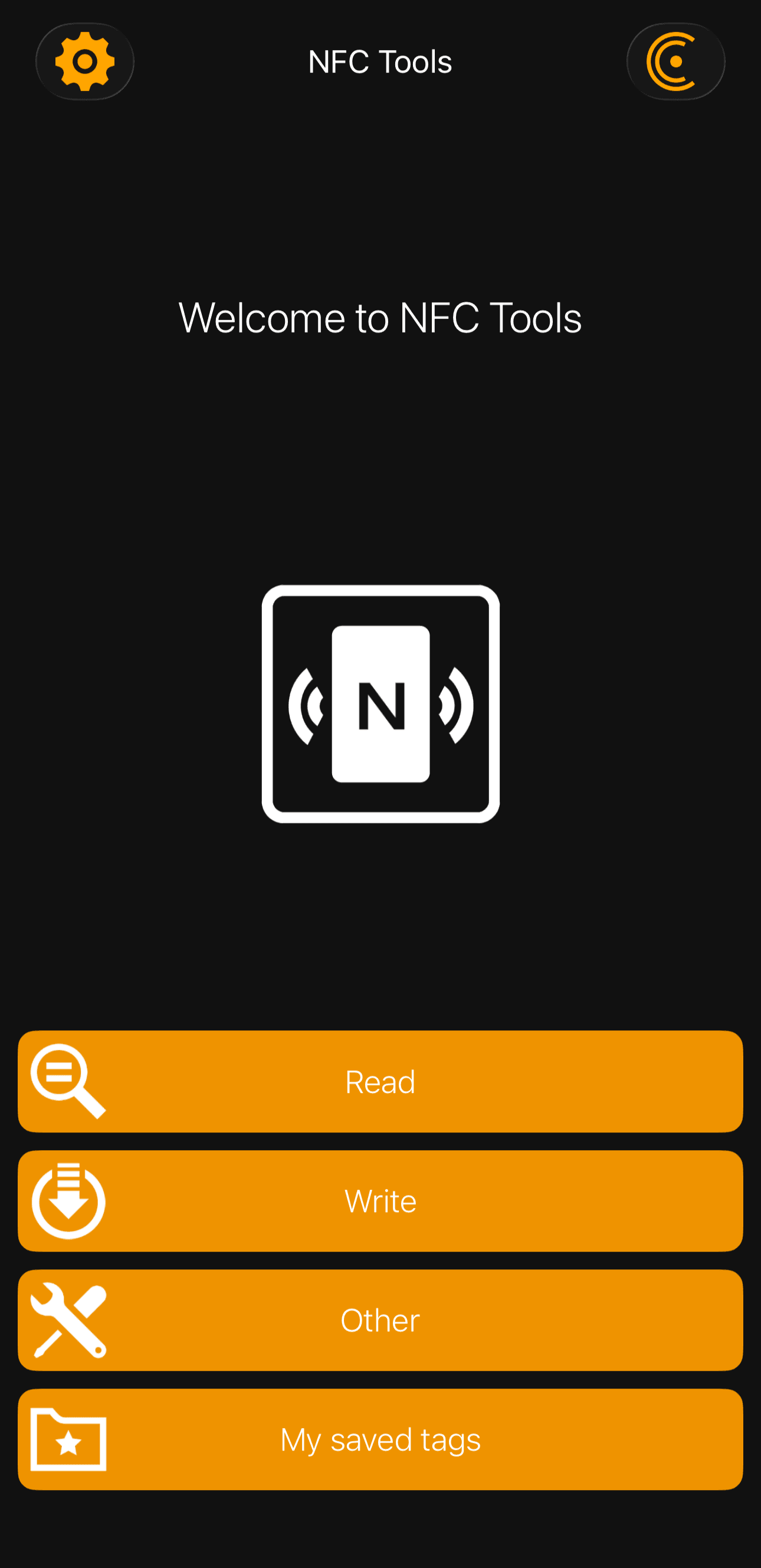
Tap Other — not Write - 4Tap "Advanced NFC commands"
In the Other menu, tap Advanced NFC commands at the bottom of the list.
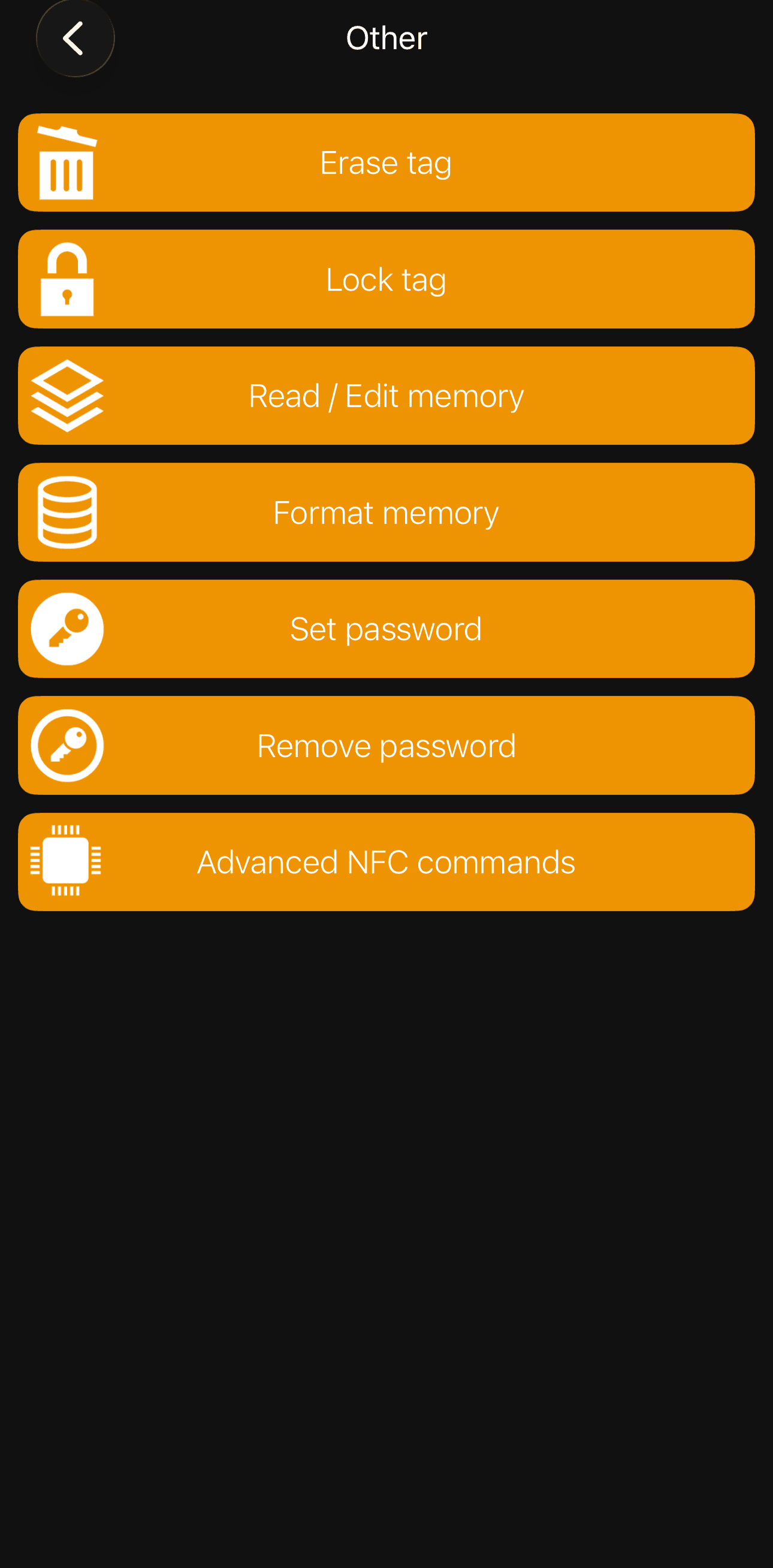
Last item in the list - 5Paste the commands into the Data field
Tap the Data field (it shows placeholder text like
90 60 ...) and long-press to paste. The full sequence of A2 commands will fill the field.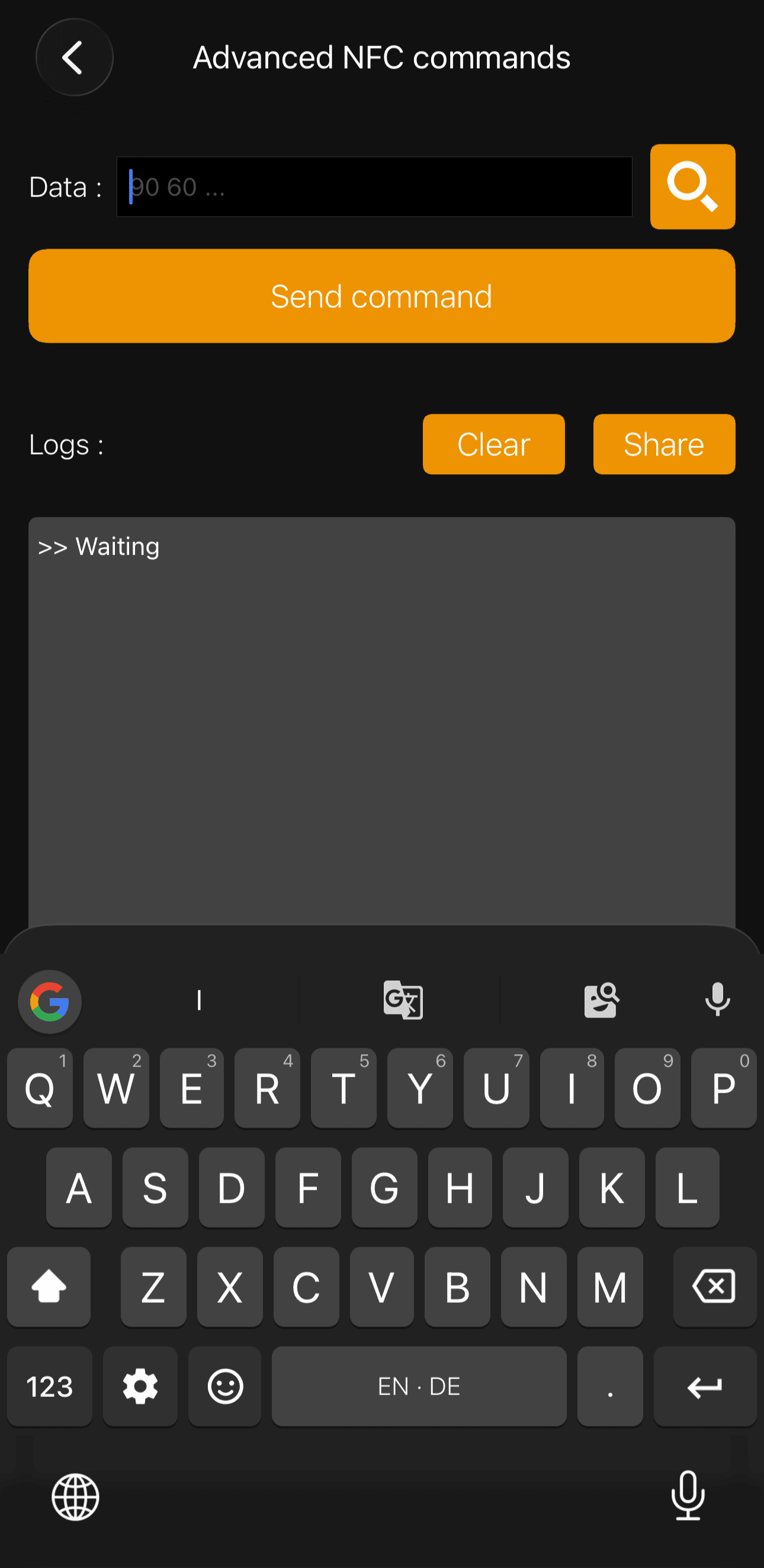
Empty — tap and long-press to paste 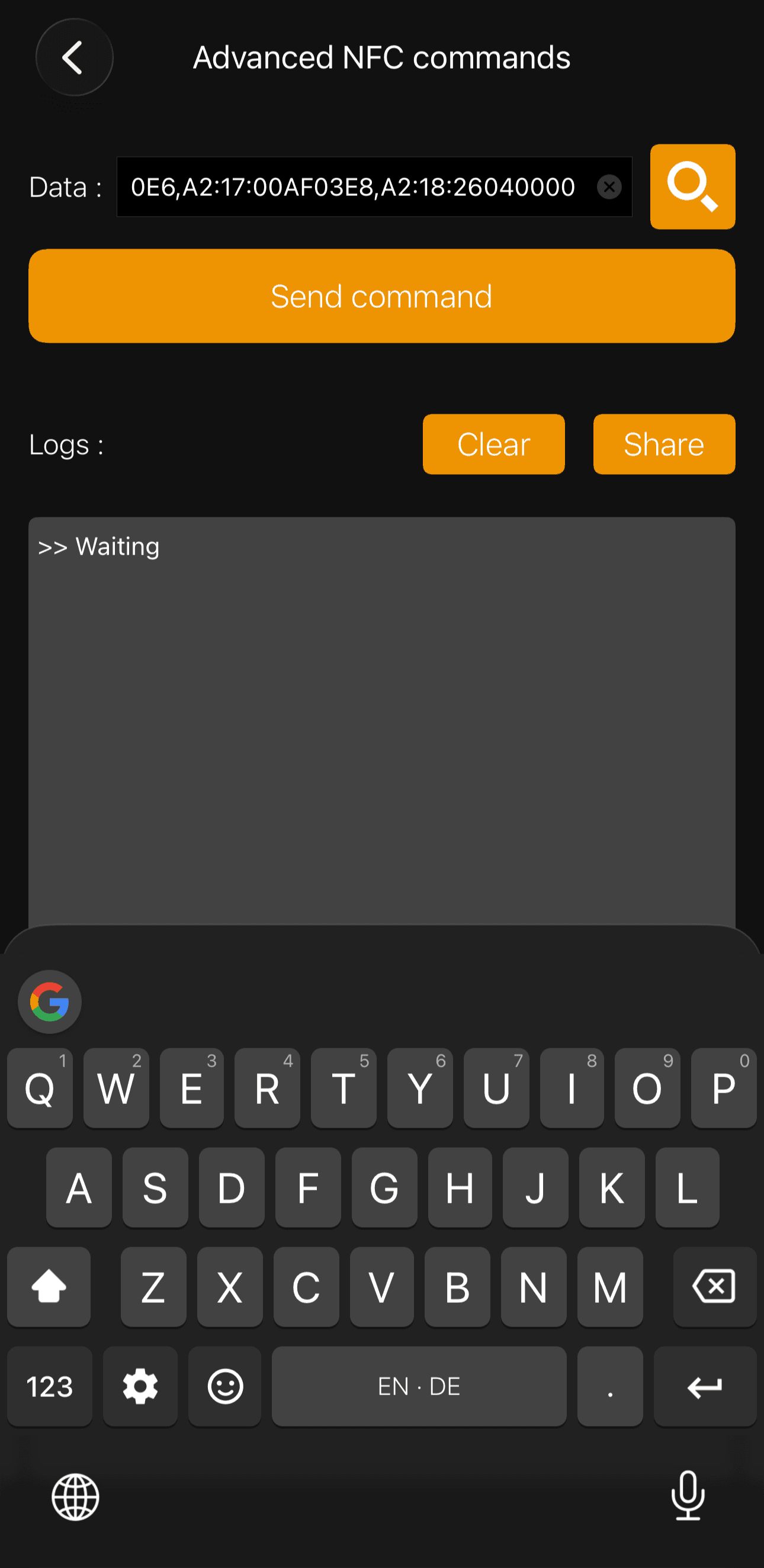
Commands pasted - 6Tap the search icon, then hold your tag
Tap the magnifying glassicon next to the Data field. NFC Tools shows a "Ready to Scan" dialog listing all 14 commands. Hold your blank NTAG213 sticker to the top of your iPhone, near the camera. A checkmark confirms success.
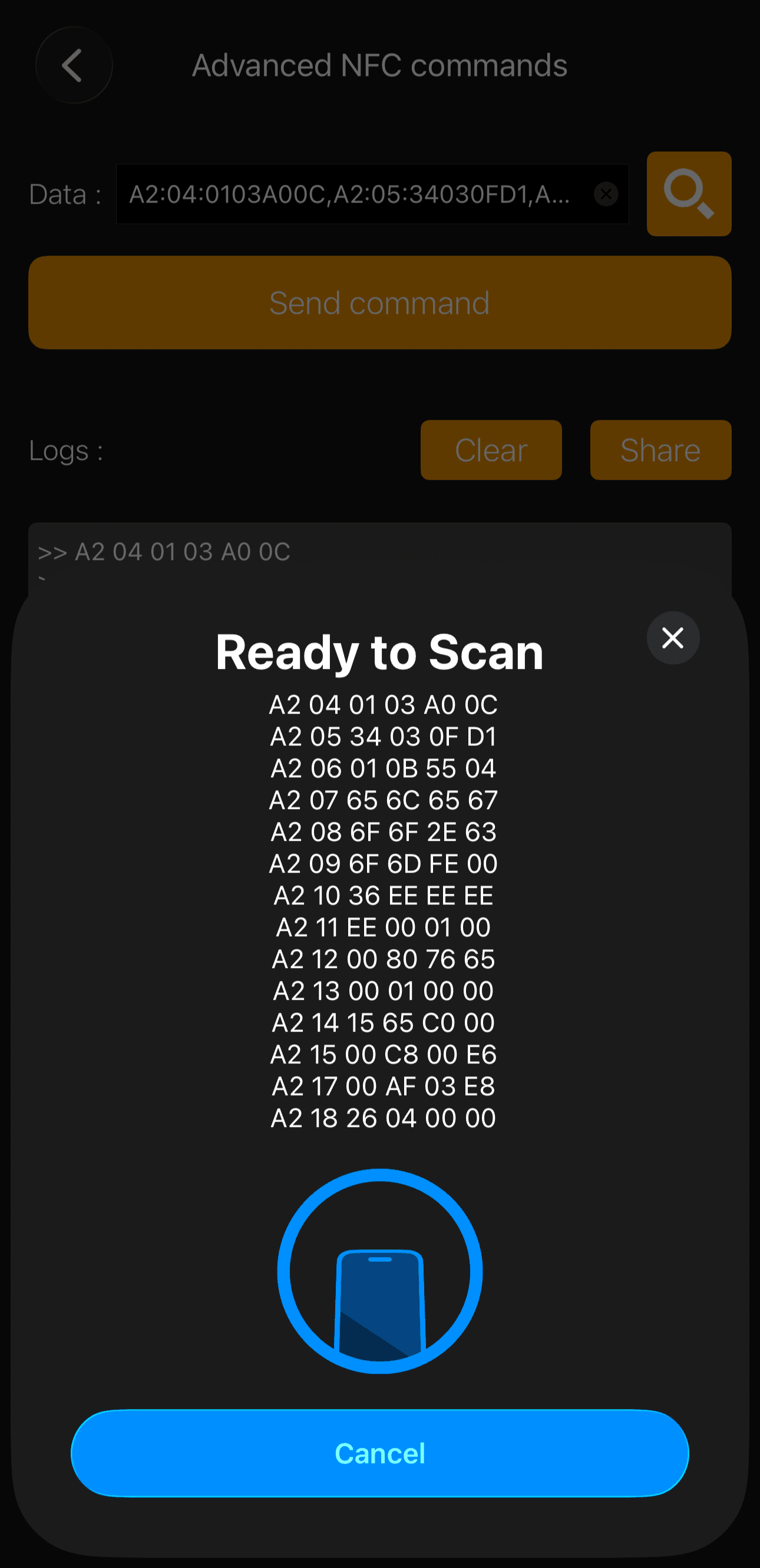
Hold the sticker to the top of your phone 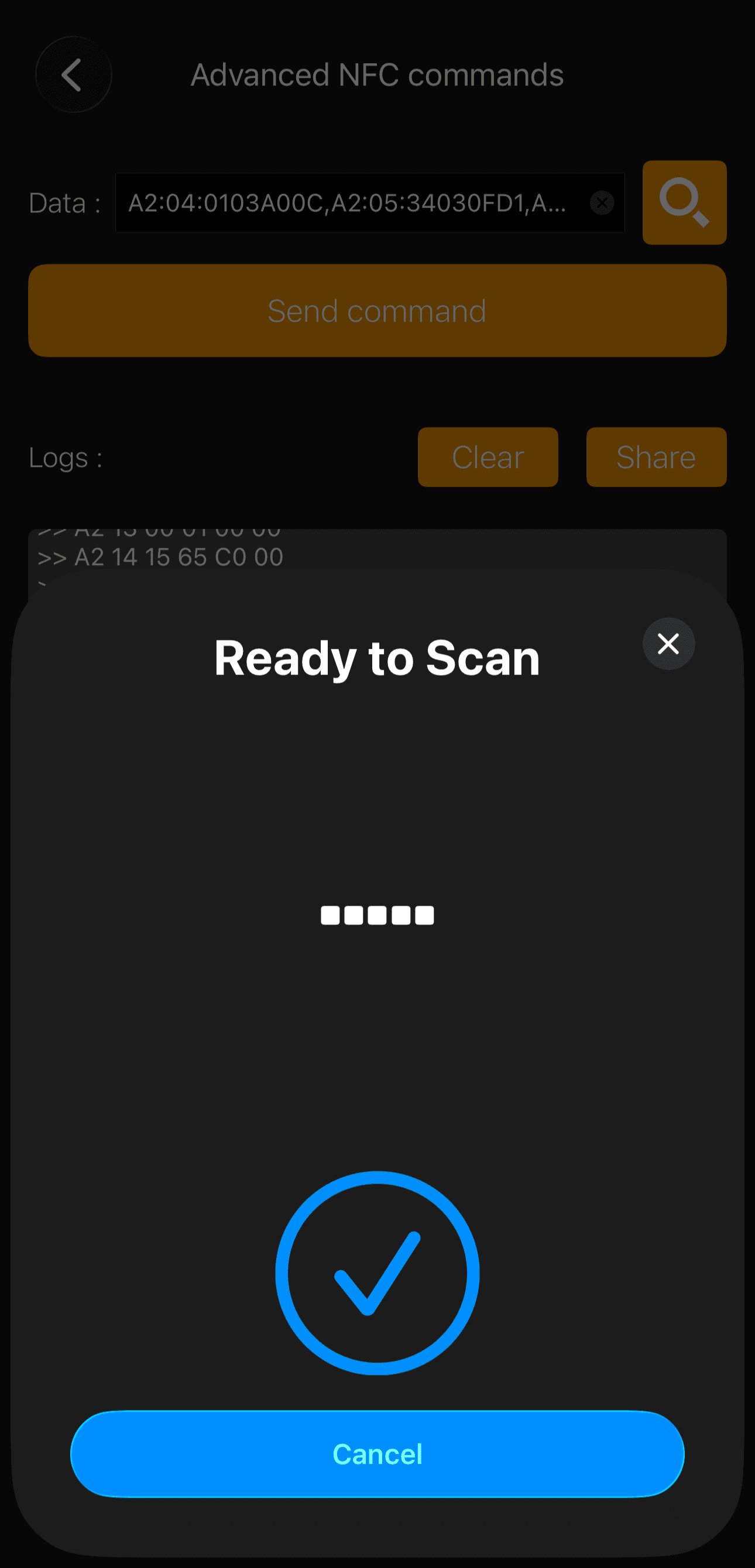
Checkmark = tag written successfully - 7Stick it on your spool
Place the written sticker anywhere on the spool. The RFID reader inside the Centauri Carbon 2's filament bay will detect it automatically on the next load.
How the RFID system works
Each Elegoo spool tag is a standard NXP NTAG213 chip — the same type used in transit cards and smart posters. It holds 144 bytes of user memory, of which Elegoo uses about 36 bytes to store filament metadata:
- Material type and subtype (e.g. PLA+, PETG Rapid)
- Colour (RGB value)
- Recommended print temperature range
- Filament diameter and spool weight
- Production date
The data is unencrypted and the tags have no password protection. When the printer powers on or detects a spool change, it reads pages 16–24 of the NFC tag memory and applies the settings. AnySpool writes this exact data structure onto blank stickers.
Privacy & security
All tag data is generated client-side in your browser using JavaScript. No filament data, NFC payloads, or personal information is ever sent to a server. The site uses no cookies and no user tracking beyond anonymous Vercel Analytics pageview counts.
FAQ
Can I rewrite a tag?
Yes. NTAG213 stickers can be rewritten thousands of times. Just write new data over the old one.
Does this work with non-Elegoo filament?
Absolutely — that's the point. Pick the closest matching material profile, adjust the colour if needed, and write the tag. The printer will treat it like a native Elegoo spool.
Will this void my warranty?
Using third-party filament is standard practice and Elegoo has publicly embraced an open RFID ecosystem. The tags are read-only from the printer's perspective — it never writes to them.
NTAG213 vs NTAG215 vs NTAG216?
Elegoo uses NTAG213 (144 bytes user memory). NTAG215 and 216 have more memory but the same data protocol — they should work too, but NTAG213 is cheapest and all you need.
Last updated: April 2026